
Personal Project · 2026 · v3.30
Boop Free budget app & expense tracker for iPhone, iPad, Mac and Android
Your friendly money buddy, made in the Philippines.


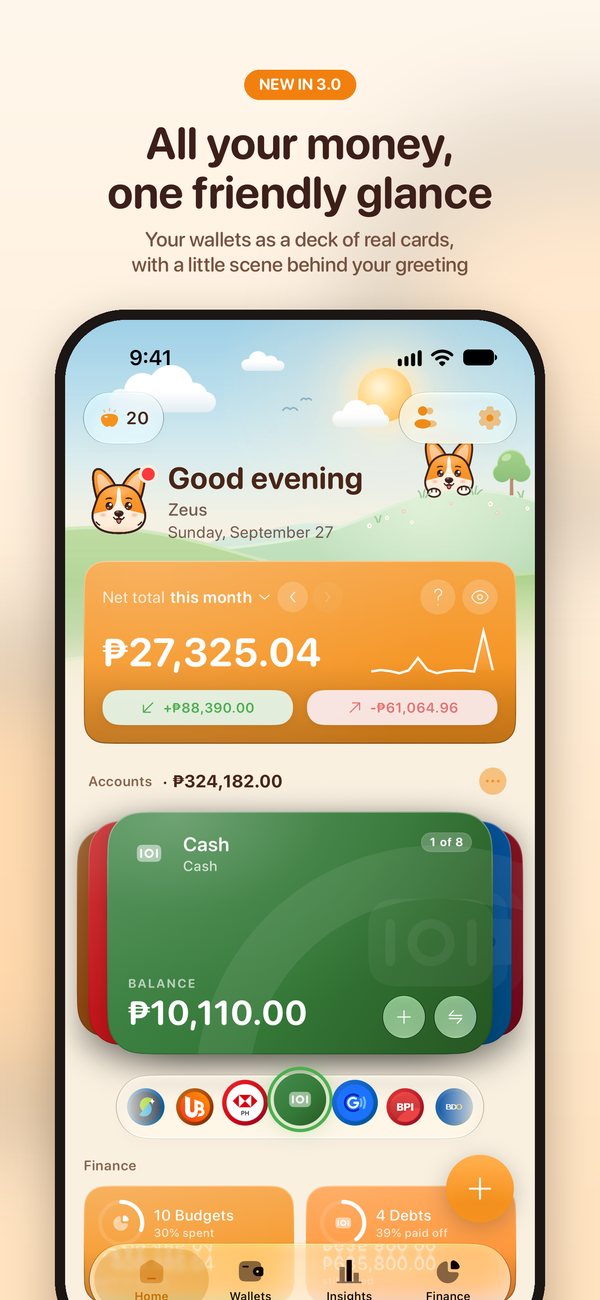
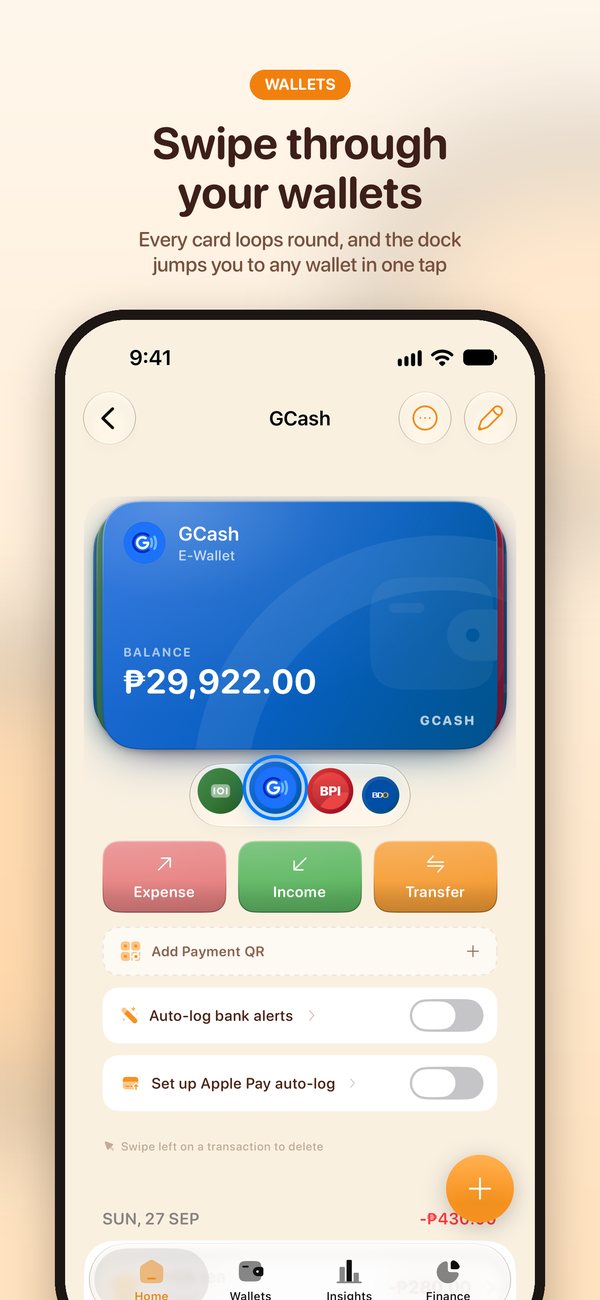
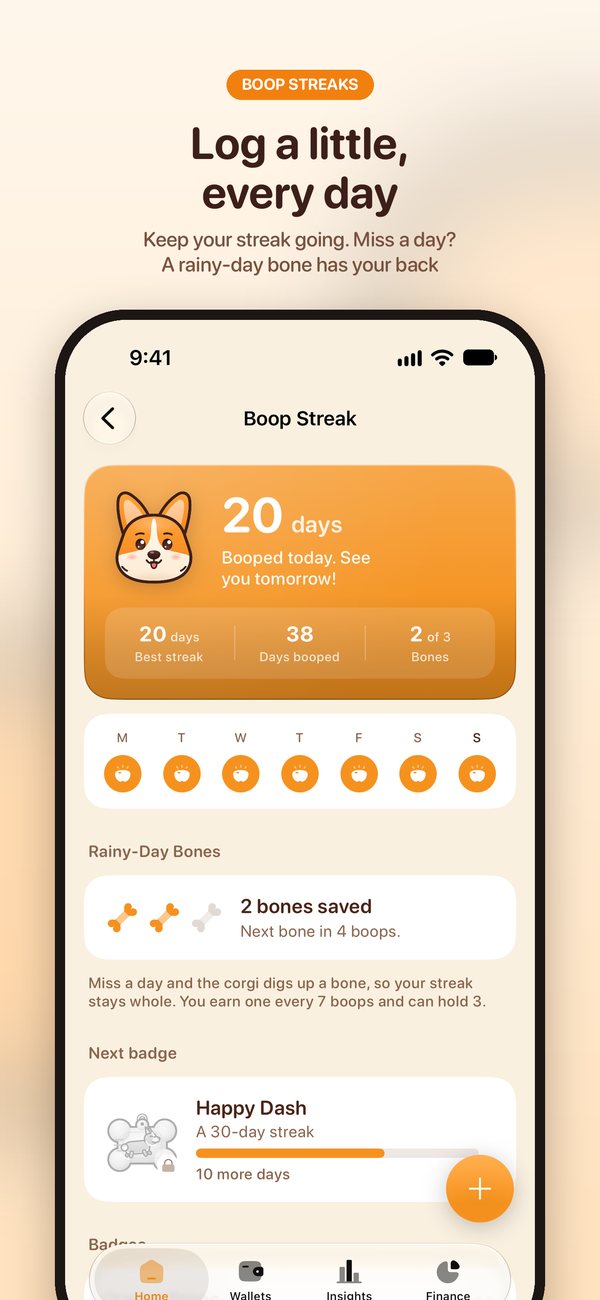
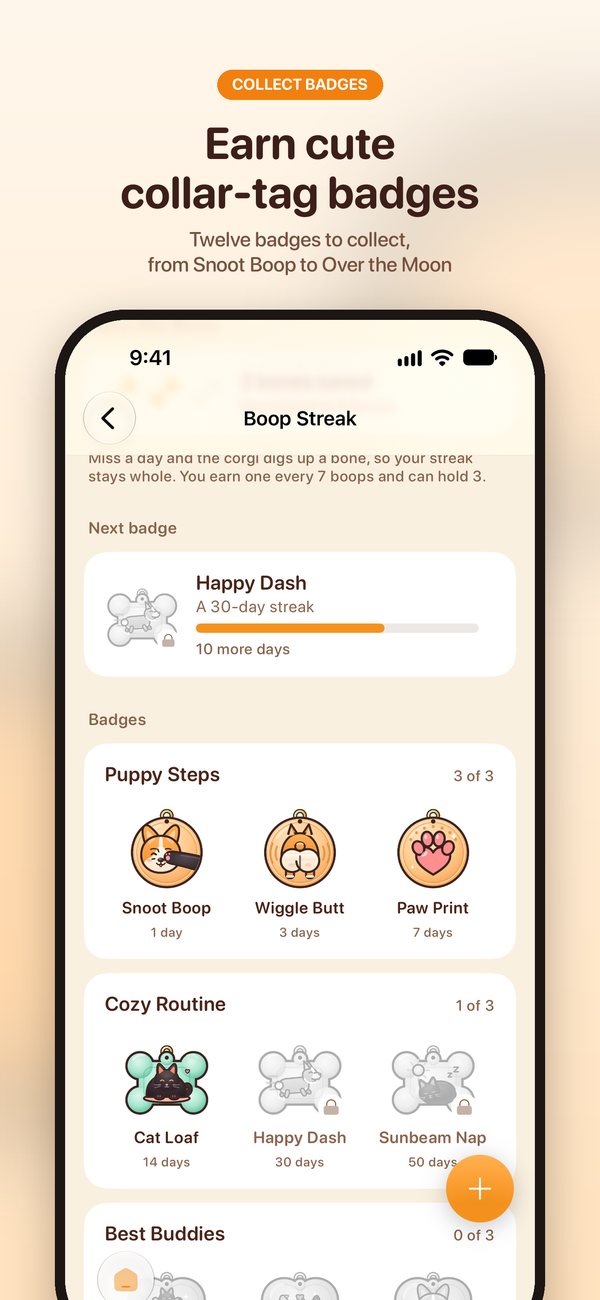
Track spending and income across cash, bank accounts, e-wallets and every credit card, in any currency, and swipe through your wallets like a deck of real cards. Set budgets, see bills before they’re due, and keep savings goals and money owed in view. Apple Pay taps can log themselves, a daily streak keeps the habit going, and Insights tells you in plain words where your money went. No sign-up and no bank logins: your records stay on your device and your own iCloud. On iPhone, iPad, Mac, Apple Watch and Android, in 10 languages.
What’s new in Boop 3.30
Since 3.5 there’s Money Owed share-as-video clips, budgets across several wallets, logging in a wallet’s own currency, Card text sizes in Appearance & Home, editable Money Owed collections, a 3D mascot, Finance tiles in your own colors, Pasabuy tracking on your cards, a Recent Activity widget, a live invoice preview, cashback on your cards, Shopping List & Boop Cart with a price book, a Boop bar on iOS 26, Ask Boop that can edit your wallets, and Lock Screen widgets.
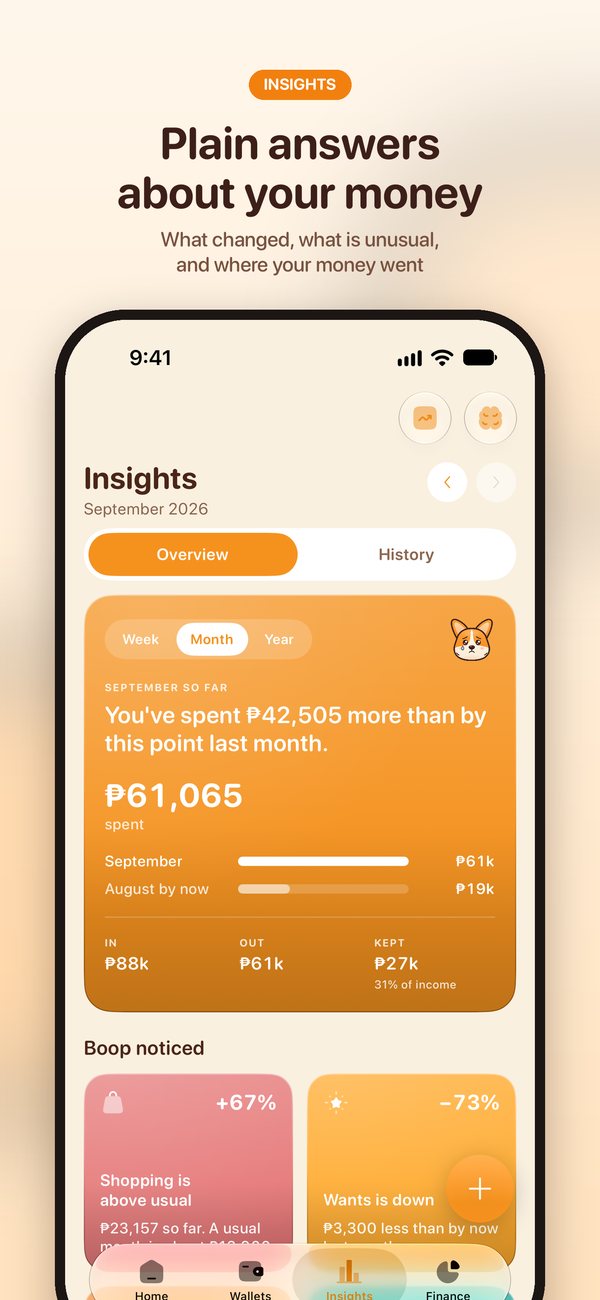
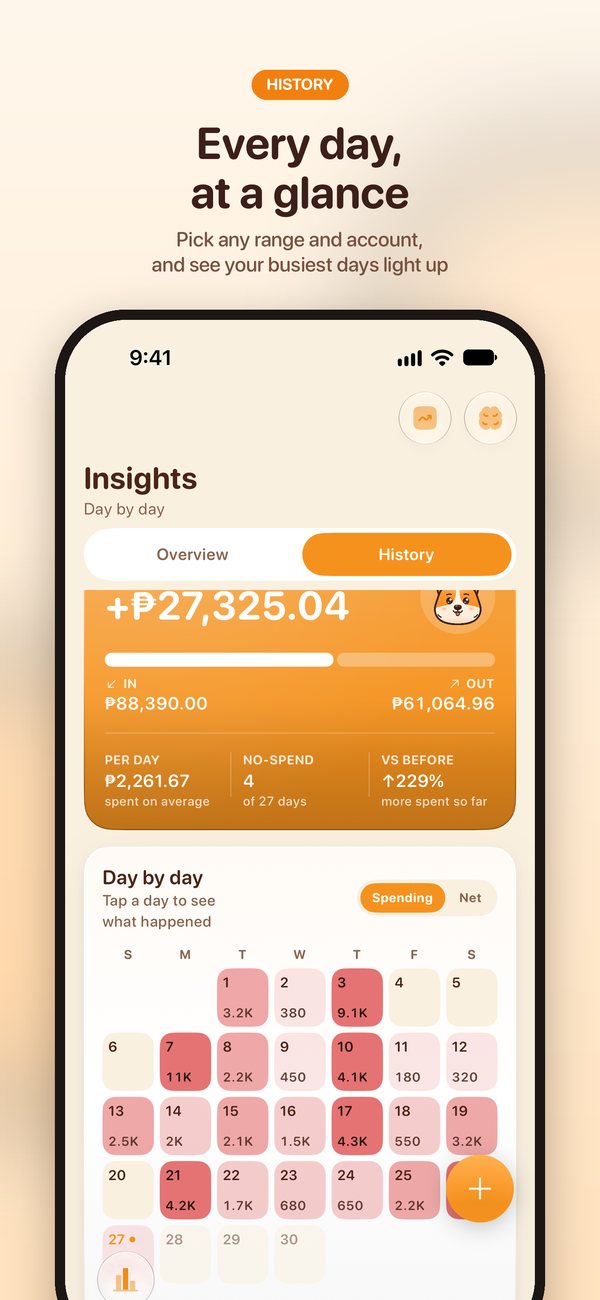
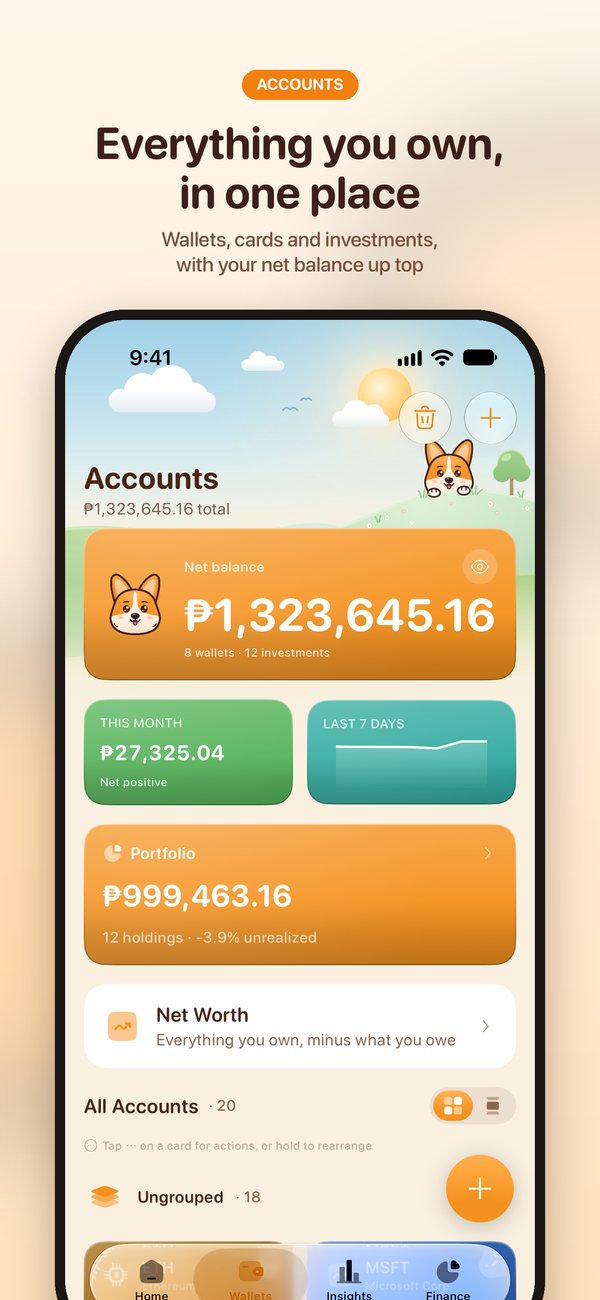
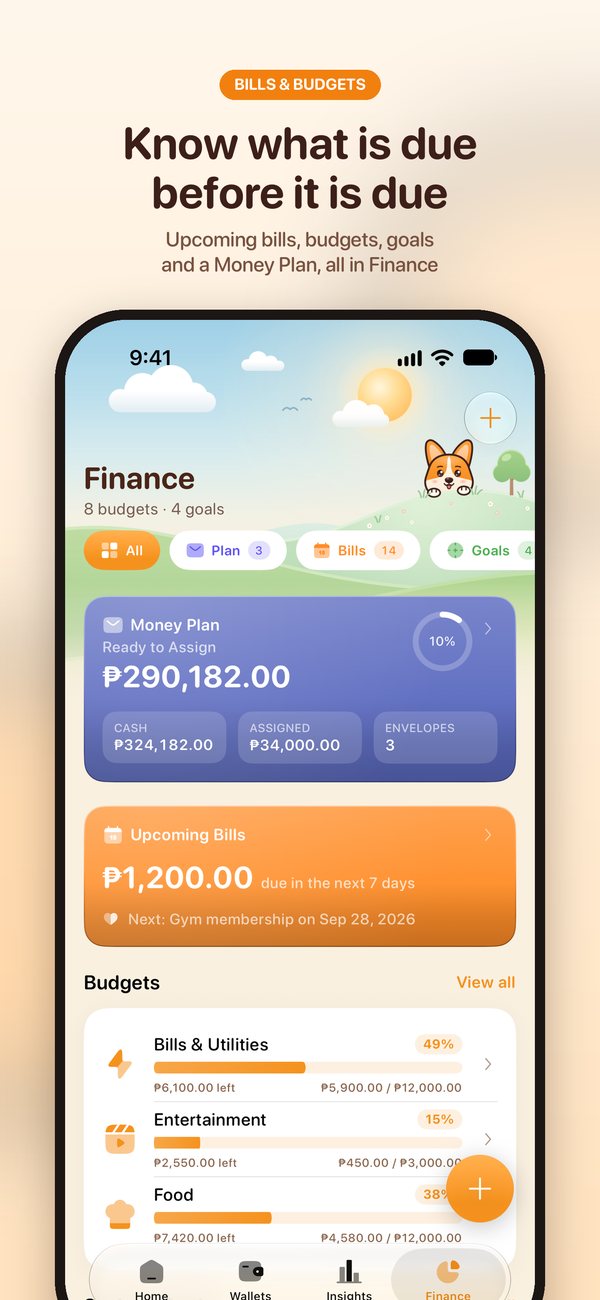
-
Send Money Owed as a video New in 3.30
Turn a Money Owed slip into an 8-second video clip with a mascot, sounds and an optional photo, see daily totals in your transaction lists, and split bills by exact amounts on the calculator.
-
Budgets built around how you spend New in 3.28
Link several wallets to one budget, set a funding target and see how much is left to assign. Give budgets their own names, credit savings interest weekly and track Tether (USDT).
-
Log in your wallet’s own currency New in 3.27.1
Pick your wallet’s own currency right in New Expense and New Income, even when your display currency is different, and keep adjusting or removing cashback when you edit an expense.
-
Split a bill with friends New in 3.25
Split one bill with friends and across categories at once, and their Money Owed follows. Record one payment to settle what someone owes you, set goals without a target, and use Boop in Bahasa Indonesia.
-
Lighter Boop Cloud syncing New in 3.23.1
Boop Cloud skips its every-minute check when nothing has changed, and coming back to Boop right after a sync no longer starts another one, so it uses less battery and data. If Boop Cloud asks Boop to slow down, the app waits quietly and shows when the next sync will run instead of showing a problem.
-
Card text your way New in 3.23
Pick Standard, Uniform or Compact card text in Settings › Appearance & Home, with dynamic text sizing on Home cards and editable or removable Money Owed collections.
-
Boop Cloud, optional
Sign in with Apple and keep your Boop the same on your iPhone and iPad, end-to-end encrypted so only your devices can read it. Boop Cloud is an optional subscription that also removes ads. iCloud sync stays free, and Boop still works fully without an account. Fifteen new breeds are in Settings under Theme, and Aspin and Puspin are free for everyone.
-
Your mascot came to life
The corgi now stands at the top of Home in full 3D, and in dark mode it’s the cat. Prefer the flat face? Pick Classic in Settings. You can also hold a Finance tile on Home to change its color.
-
Pasabuy on your card? See who owes you
When a friend or family member checks out on your credit card or pay-later limit, pick them or type their name. Boop adds up each person’s purchases per statement, and you can send them a summary with the total. A new Recent Activity widget shows your latest expenses, income and transfers on the Home Screen or Lock Screen.
-
See your invoice as you write it
A live preview of the PDF while you edit, plus a Preview button to see the whole page any time. The Apple Pay guide and demo also match the newer Shortcuts app now.
-
Ask Boop edits your money
Log by voice in one sentence, or ask Ask Boop to rename a wallet, set a card’s due day or delete a budget. You review every change first, and Undo puts it back.
-
Cashback on your cards
Record cashback, a refund or rewards under any credit card. What you owe goes down by exactly that much, and it counts as income.
-
Shopping List & Boop Cart
Plan your list, then start a trip right from it. Boop remembers what you paid at each store, reads sizes from the tag and tracks B1T1 and % off deals.
-
Boop on your Lock Screen
Fresh widgets in your own colours, plus Lock Screen and Action Button controls to add an expense, an income or just say it.
-
The Boop bar
On iOS 26, Message Boop sits right above your tabs with your corgi or cat beside it. Tap + and your add menu grows out of the glass.
-
Shared groups and Google Drive backups
Split costs with the people you share with and settle up in the fewest payments. Back up to your own Google Drive, and flip any card to see its details.
Built for cash, e-wallets and cards, in any currency
Every wallet side by side, in your own currency and language, and a lot less typing.
-
Every wallet, side by side
Give cash, each bank account, e-wallet and card a wallet of its own, each with its own balance. Transfers between them keep both sides right.
-
Receipts, voice and your wrist
Scan a receipt, tell Ask Boop what you spent in one sentence, or log from your Apple Watch. Less typing, same tidy records.
-
Apple Pay auto-log
Tap to pay and Boop logs the amount and the shop by itself, with no prompts. Set it up in five steps.
-
Credit cards and installments
Statement and due dates, installments and interest, so you know what the next credit card bill will be before it arrives.
-
Budgets, goals and money owed
Budgets by category or across wallets, savings goals, debts to pay down and who owes you, all in one Finance tab.
-
Money Plan envelopes
Split each payday into envelopes for bills, food and savings. The envelope method, without the paper envelopes.
-
Any currency, 10 languages
Pick your own currency; wallets in other currencies convert at live exchange rates, handy for remittances and trips. Boop speaks English, Filipino, Spanish, Portuguese, French, German, Japanese, Korean, Chinese and Indonesian.
-
Hide amounts, widgets, CSV
Hide balances with one tap when someone’s looking, check spending from a Home Screen widget, and export or import CSV any time.

New guide · Apple Pay × Shortcuts
Log Apple Pay payments automatically
Set it up once and every Apple Pay tap logs itself into Boop: the amount, the shop and the account, with no prompts and no opening the app.
- In Boop, turn on Set up Apple Pay auto-log for the account your taps charge.
- In Shortcuts, create a Wallet automation that runs immediately.
- Add Boop’s Auto-Log Payment action.
- Pick the Boop account this card charges.
- Connect Amount, Merchant and Card or Pass.
Pick your icon
Six Home Screen icons starring the corgi and the cat. Choose the one that feels like yours.
-
 Boop FaceDefault
-
 Card Stack
-
 Wallet Pup
-
 Corgi
-
 Cat
-
 ClassicThe original
Switch any time in Settings › Theme › App Icon.
Take the 30-second tour
Meet the corgi and the cat, and see Boop in action. Sound on.
Boop in 15 seconds
Five short clips, one feature each. Tap to play.
-
Log a little, every day
-
Saan napunta ang pera ko?
-
All your wallets, one deck
-
Team Corgi or Team Cat?
-
Private by design
Boop Web Helper
A companion workspace for the jobs that are easier on a big screen — free, and open in any browser.
Coming from another app
Import a CSV or another budget app’s backup and it becomes a Boop-ready file, with your accounts and categories carried across instead of retyped.
Edit on a keyboard
Fix a run of wallets or transactions in a table, then export and import the file back into Boop. Faster than tapping through a long list on a phone.
Nothing leaves your browser
There is no upload and no account. Your file is read on your own machine, the same way Boop keeps your data on your phone.
Best on a desktop browser. Your CSV never leaves your computer.
Guides & free tools
Plan your pay, the holidays and your ipon, right in your browser. Free, no sign-up, any currency.
Free tools
What people say
★ 4.8 average from 242 ratings on the Philippine App Store, plus a few of the reviews.
“I am so genuinely happy to have found this app. I’ve been looking for a money tracker app which has it all: income and expense, bills, credit card, debts, and savings tracker. … The UI very aesthetic and pleasing to the eyes. Overall, the app is so amazing!!!!”
“highly recommended budget tracker app!!!”
“The app is superb! So many features. For a type of person starting to be financially responsible and has a goal, this app is for you! Thank you, developer!”
“LOVE THE APP! Thanks dev!”
“Like i am so organized”
“This is by far the Budgeting app I’ve tried so far. It has all the features that I needed and it’s free.”
“It has been such a great help for me in managing and tracking my expenses, savings, loans, credit cards, and bills all in one place. … And as a fur parent, I absolutely love the cute corgi and cat!”
Frequently asked questions
Is Boop free?
Yes. Boop is free to download and use. It shows ads from Google AdMob; a one-time Remove Ads purchase, any tip, or the all-themes header bundle turns them off for good. Extra header themes are optional one-time purchases, and the Sunny Meadow theme is free. The only subscription is Boop Cloud, and it’s optional: end-to-end encrypted sync across your devices, with every paid extra included. iCloud sync stays free.
Is my financial data private?
Boop needs no account or sign-up, and it never asks for bank logins. Your records stay on your device and sync only to your own iCloud, or to Boop Cloud if you choose it, which is end-to-end encrypted so only your devices can read it. The ads come from Google AdMob, and Boop asks for your consent before showing personalized ads. The privacy policy has the details.
Does Boop connect to my bank account?
No. Boop never links to a bank or asks for your online banking password. You log money yourself, scan a receipt, tell Ask Boop, or let a Shortcuts automation on your own iPhone log your Apple Pay taps for you.
Does Boop work with e-wallets, cards and other currencies?
Yes. Add cash, each bank account, e-wallet and credit card as its own wallet, in your own currency. Wallets in other currencies convert at live exchange rates, so remittances and trips abroad add up correctly.
How does Apple Pay auto-log work?
You set up a one-time automation in the Shortcuts app. When you tap a card in Apple Wallet, it runs Boop’s Auto-Log Payment action, which records the amount and the shop in the Boop account you picked, with no prompts and no opening Boop. Follow the five-step Apple Pay guide.
Which devices does Boop run on?
iPhone, iPad, Mac and Apple Watch from the App Store, and Android phones from Google Play.
Which languages is Boop in?
Ten: English, Filipino, Spanish, Portuguese (Brazil), French, German, Japanese, Korean, Simplified Chinese and Indonesian. Boop works with any currency, in any country.
Can I move my data over from another budgeting app?
Yes. Boop imports and exports CSV files. The free Boop Web Helper runs in your browser and turns a CSV or another budget app’s backup into a Boop-ready file, so your accounts and categories come across instead of being retyped.
What do I need to run Boop?
An iPhone or iPad on iOS 18 or later, a Mac, or an Android phone. The Apple Intelligence money advisor needs iOS 26 on a device that supports Apple Intelligence; everything else works without it.
Try Boop
Free on iPhone, iPad, Mac, Apple Watch and Android. Ads keep it free, one-time purchases remove them, and Boop Cloud is an optional subscription. No sign-up, no bank logins, and your records stay yours.
Get it on Google Play